Deploying Your App
At this point your app is running locally at localhost:3000. Now let’s get it on a public URL so others can access it. We’ll use Google Cloud Run.
Containerizing the app
First, you need a Dockerfile. You can ask Cursor to generate one, or use the one in the video.
Before deploying, test the Docker build locally:
docker build -t patient-app .
docker run -p 8080:8080 --env-file .env patient-app
Open localhost:8080 and confirm everything works: patient list, patient detail, charts. If it does, you’re ready to deploy.
Deploying to Cloud Run
Go to Google Cloud Run, click Services, then Deploy Container. Select the option to have Google build the image from a GitHub repository.
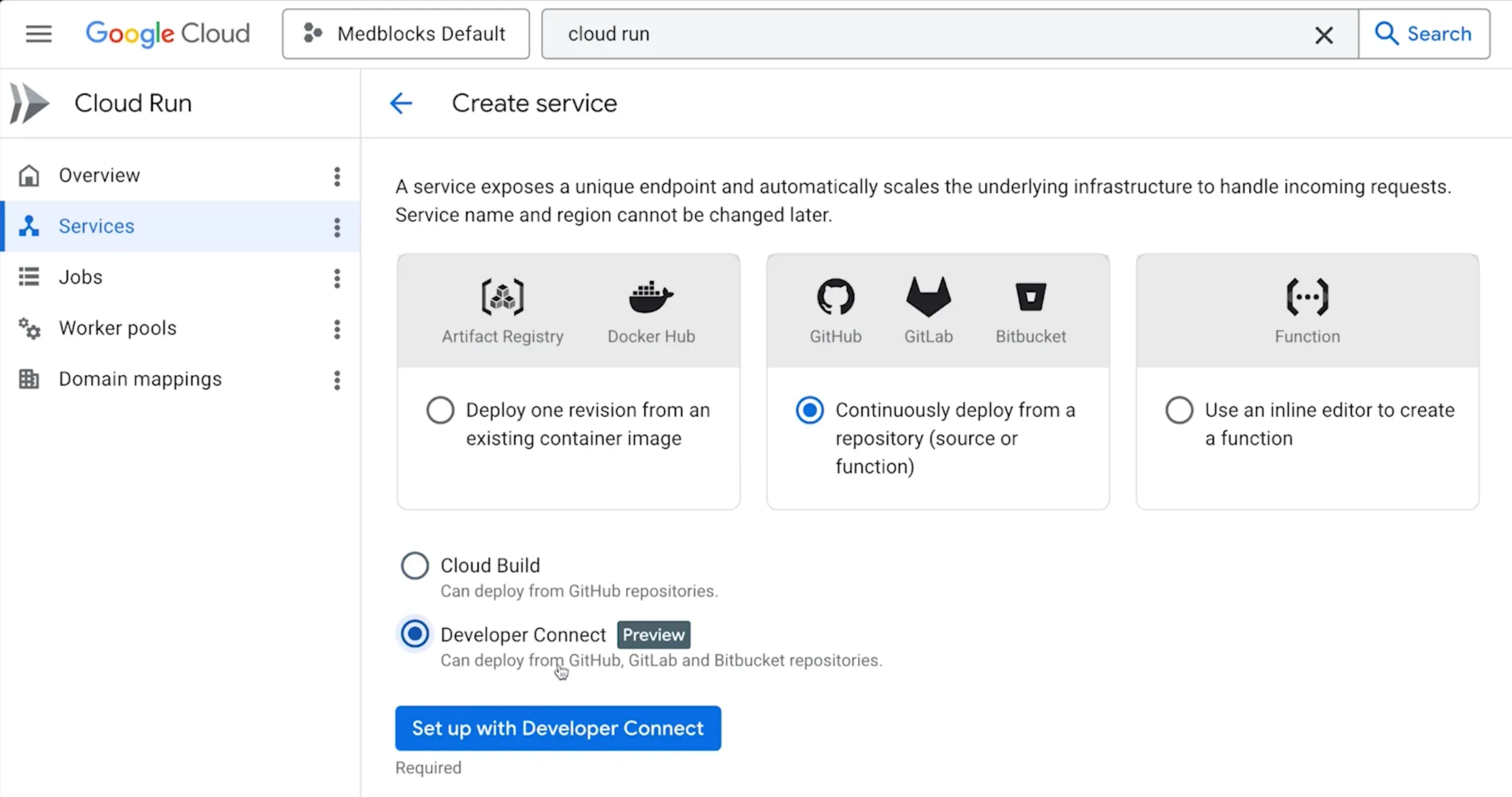
Set up Developer Connect, choose your repo and the main branch, and point it to your Dockerfile.
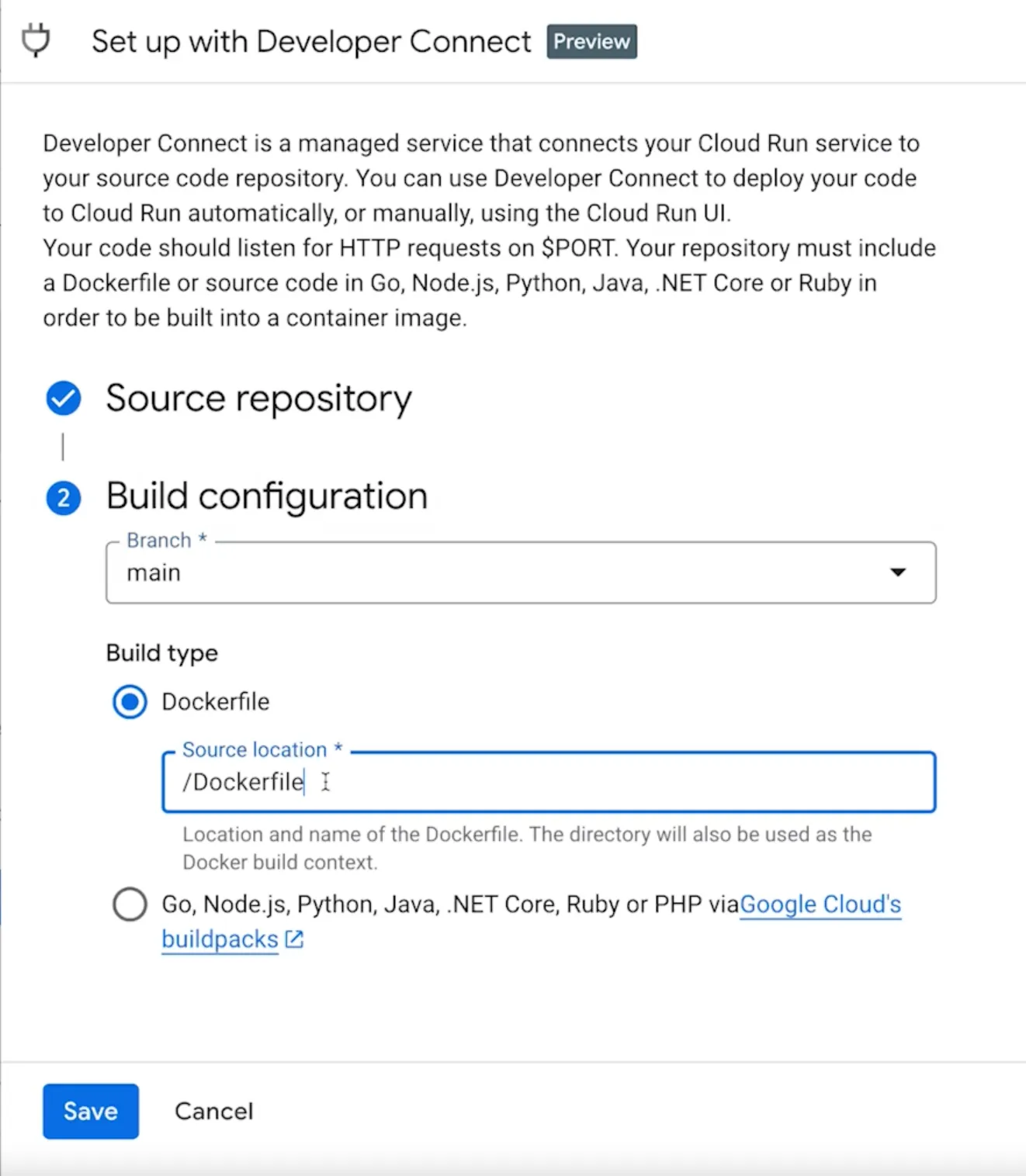
A few settings to get right:
- Region: pick one close to your users
- Access: allow public access
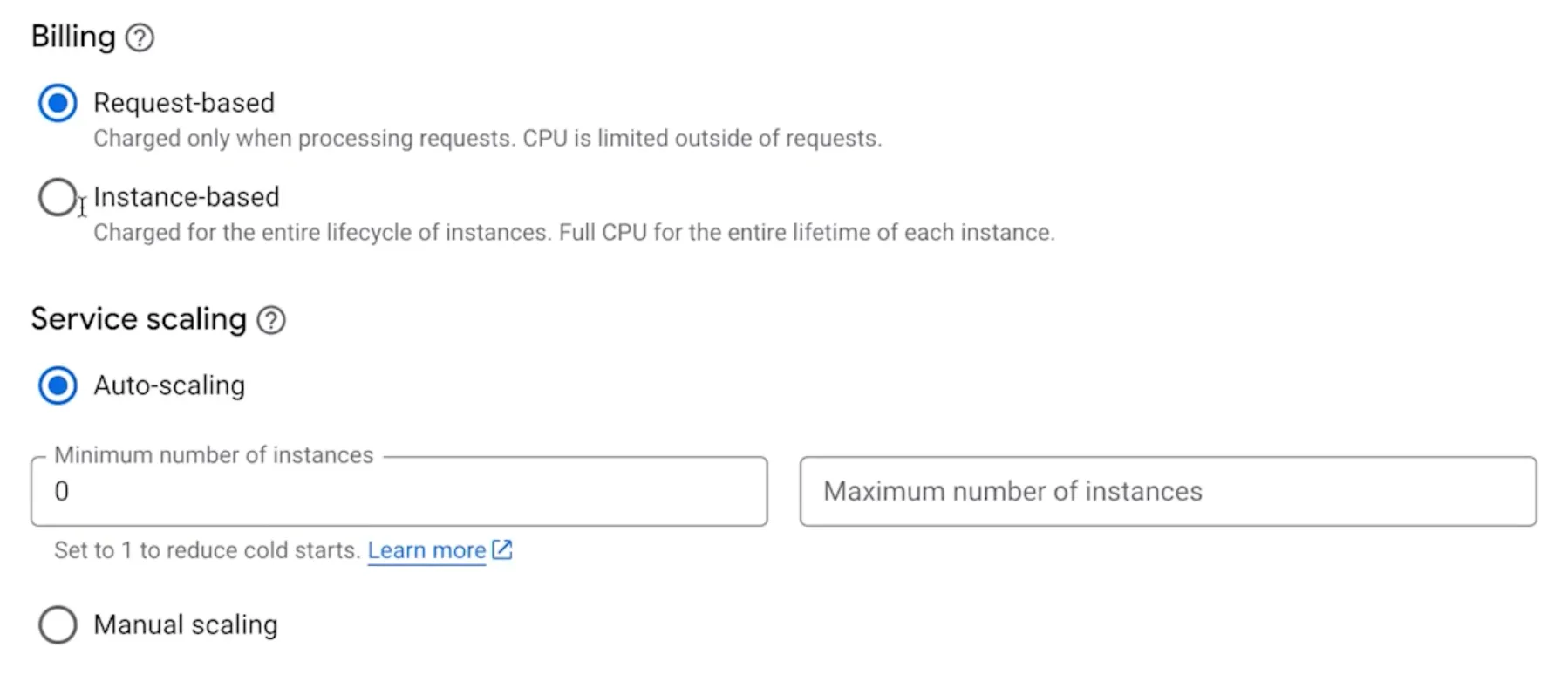
- Billing: select request-based billing and set the minimum number of instances to zero. This keeps it in the free tier. Cloud Run scales to zero when nobody is using the app, so you only pay for actual requests.
Under container settings, add your environment variables: your FHIR base URL and bearer token.
Click Create. Cloud Run will pull your repository, build the Docker image, and deploy it. This takes around two minutes.
Once it’s done, you’ll get a public HTTPS URL. Share that with anyone and they’ll be able to access your app.
There are other deployment options e.g. Cloudflare Pages, Vercel and Netlify. Cloud Run is just the easiest starting point: take a Docker container, deploy it, and you’re done.